
Hi Geekinners !
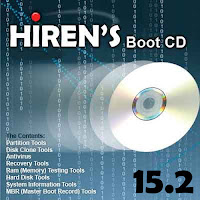 Welcome to a new tutorial , where I introduce you Hiren's Boot CD .Maybe you are wondering what is Hiren's Boot CD ? ,well Hiren's Boot CD is one of the most useful tools used by many computer technicians and administrators , It is a free bootable software CD containing a number of diagnostic programs and utilities for fixing various computer problems and It is mostly used for troubleshooting problems in windows and Linux.
The Hiren's Boot CD is an ISO image zipped which can be burned to a CD or USB flash drive for use in computers that support booting from USB
Note: To see all the utilities the Hiren's CD has click here
To download Hiren's Boot CD v15.2 click here
Now plug the USB and restart your computer, to make sure the computer will boot from the USB:
Enter the BIOS press the "Del" button on your keyboard. Alternatives are "F1", "F2", "Insert", and "F10". Some PC's BIOS might even require a different key to be pressed. Commonly a PC will show a message like "Press [Del] to enter Setup" to indicate that you need to press the "Del" key after you enter the setup a list will be shown choose boot from USB and now enjoy !
 Welcome to a new tutorial , where I introduce you Hiren's Boot CD .Maybe you are wondering what is Hiren's Boot CD ? ,well Hiren's Boot CD is one of the most useful tools used by many computer technicians and administrators , It is a free bootable software CD containing a number of diagnostic programs and utilities for fixing various computer problems and It is mostly used for troubleshooting problems in windows and Linux.
The Hiren's Boot CD is an ISO image zipped which can be burned to a CD or USB flash drive for use in computers that support booting from USB
Note: To see all the utilities the Hiren's CD has click here
To download Hiren's Boot CD v15.2 click here
How to run Hiren's Boot CD from USB:
what do you need :
- The Hiren's Boot CD v15.2
- USB storage from 4 GB or more
- Rufus for making the USB bootable
- plug the USB into the Computer then format it after you copy all the data from your USB to a folder in your computer (backup)
- extract the ISO file of Hiren's boot CD from the zip you have downloaded
- run Rufus as administrator

- click the select box of the device (1) and select your USB
- make sure that all your options match all options in the image above
- click the CD icon (2) and specify the path of the ISO file
- then click start and wait some minutes
- now we have prepared a bootable USB with Hiren's CD software
Now plug the USB and restart your computer, to make sure the computer will boot from the USB:
Enter the BIOS press the "Del" button on your keyboard. Alternatives are "F1", "F2", "Insert", and "F10". Some PC's BIOS might even require a different key to be pressed. Commonly a PC will show a message like "Press [Del] to enter Setup" to indicate that you need to press the "Del" key after you enter the setup a list will be shown choose boot from USB and now enjoy !


